KeepIt Documentation Hub
Learn how to organize browser tabs into named session bundles, preserve native Chrome Tab Groups, reclaim memory with Auto-Freeze, and sync across computers.
No Matching Documentation Found
Try searching for terms like "session", "shortcut", "tab groups", or "cloud".
🚀 Overview & Key Concepts
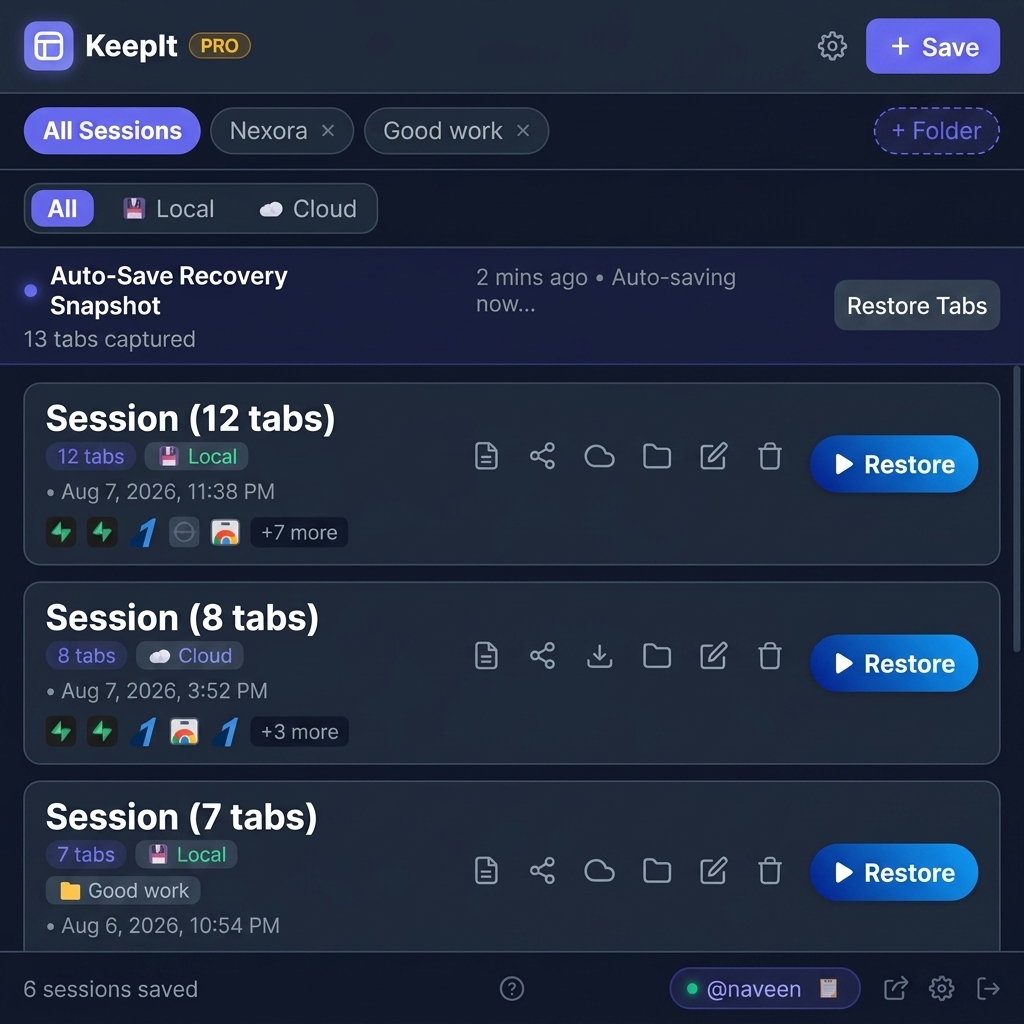
KeepIt is a high-performance Chrome extension designed for power users, developers, and researchers who work with dozens of open browser tabs. It replaces messy tab chaos with structured, organized, and recoverable tab session bundles.
📥 Installation & Setup
KeepIt can be installed directly from the Chrome Web Store or loaded unpacked in Developer Mode:
- Chrome Web Store: Visit the KeepIt Web Store Listing and click Add to Chrome.
- Developer Mode (Local Unpacked):
- Download or clone the KeepIt repository.
- Open
chrome://extensionsin your Chrome browser. - Toggle Developer mode ON in the top-right corner.
- Click Load unpacked and select the
keepitextension folder.
💾 Session Management
KeepIt allows you to capture your entire browser window or cherry-pick specific open tabs into a saved session bundle.
1-Click Saving & Checklist Search
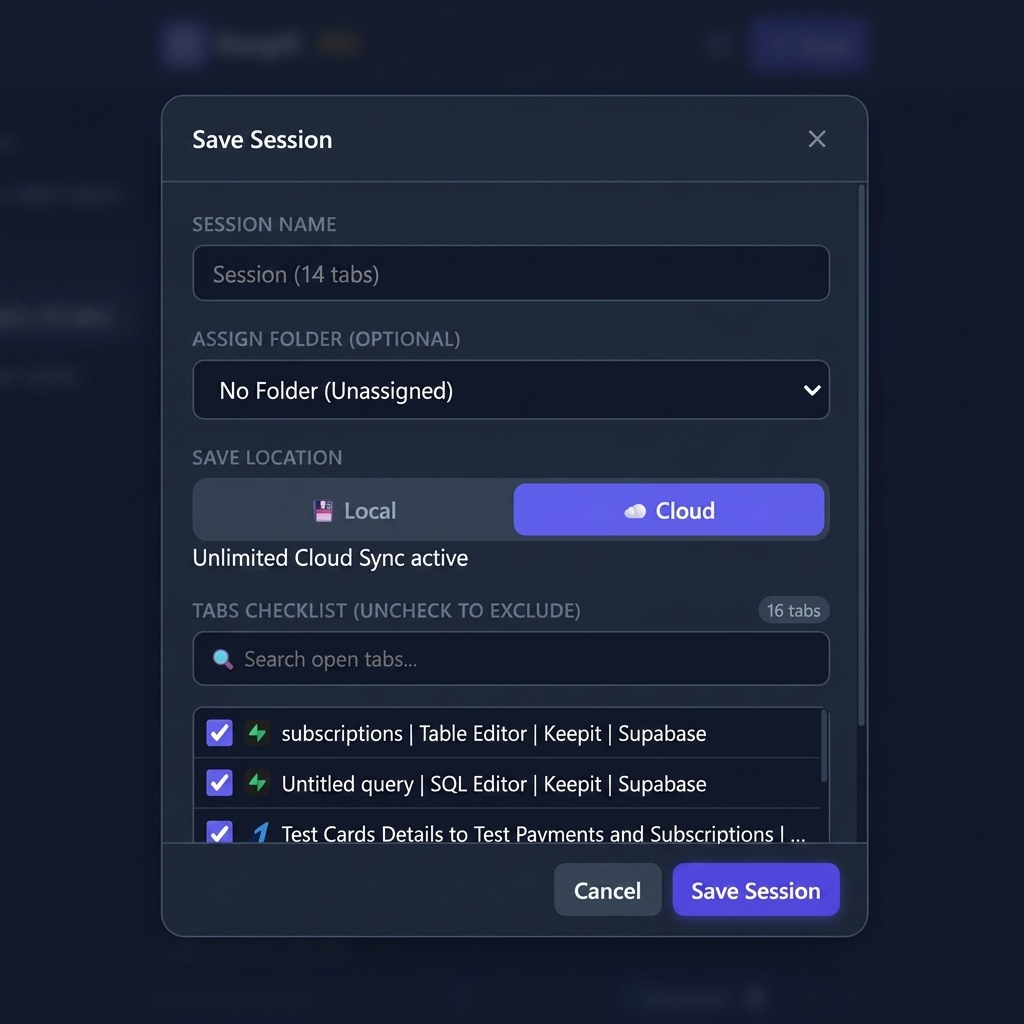
Clicking the primary + Save button opens the Interactive Save Modal:
- Session Naming: Auto-generates a title like "Session - Aug 8, 2:30 PM" or enter a custom name.
- Folder Assignment: Select an existing folder or assign later.
- Tab Checklist Preview: Search and check/uncheck individual tabs to save only what you need.
- Location Switch: Choose whether to store the session 💾 Locally on disk or sync to ☁️ Cloud.
Chrome Tab Groups Preservation
KeepIt natively reads Chrome's Tab Group API (`chrome.tabGroups`). When you save a window with tab groups
(e.g. Nexora [Purple], Work [Blue]):
- Group colors, titles, and collapsed states are captured into session metadata.
- When clicking Restore Session, KeepIt opens the tabs and automatically reinstates native Chrome Tab Groups in your tab bar!
⚡ Quick Save Shortcut
📥 OneTab Text Import
Migrating from OneTab? Open Tools & Settings (⚙️) ➔ OneTab Import, paste your exported raw text URLs, and KeepIt instantly parses and converts them into a structured session bundle.
📁 Folder Organization
Categorize sessions by project, client, or topic to keep your workspace clutter-free.
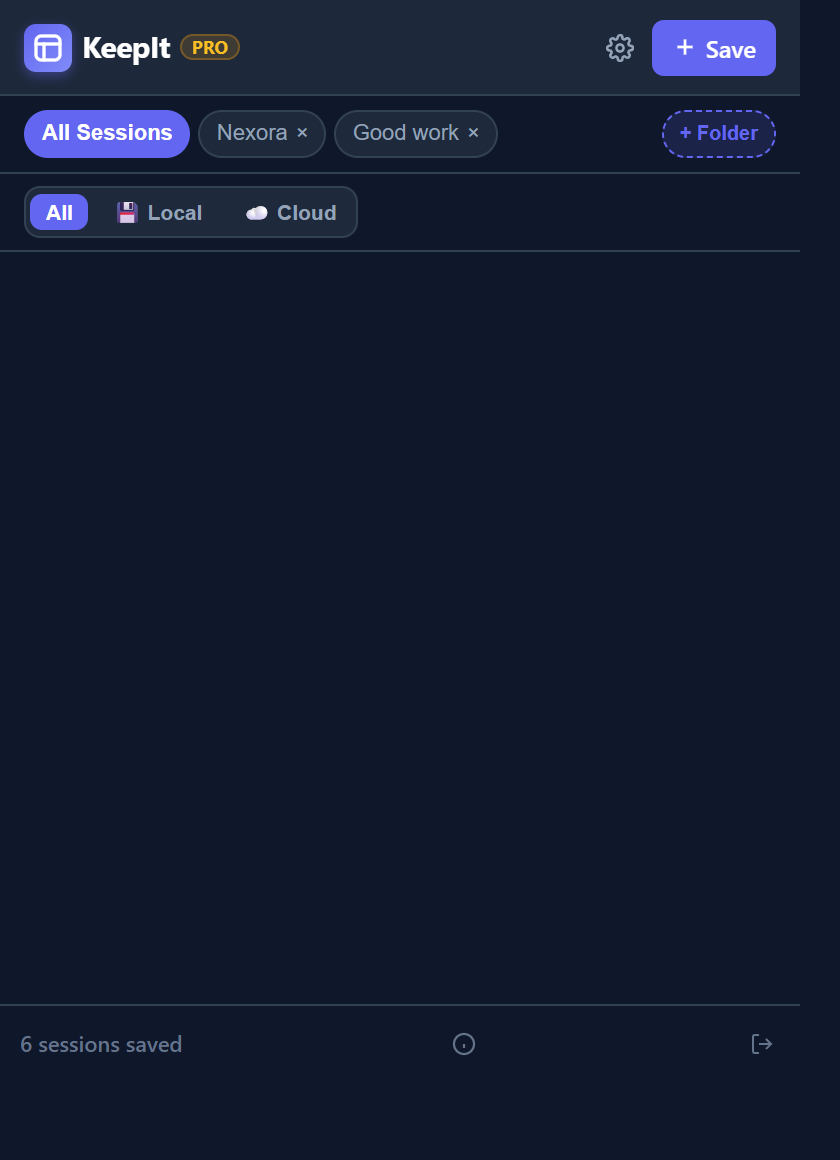
- Folder Pills Bar: Easily filter your main list by clicking folder pills at the top of the extension.
- Folder Limits: Free tier includes up to 3 folders; Pro tier includes Unlimited folders.
Drag & Drop Sessions into Folders
Re-organizing sessions is completely effortless with HTML5 Drag & Drop:
- Click and hold any session card.
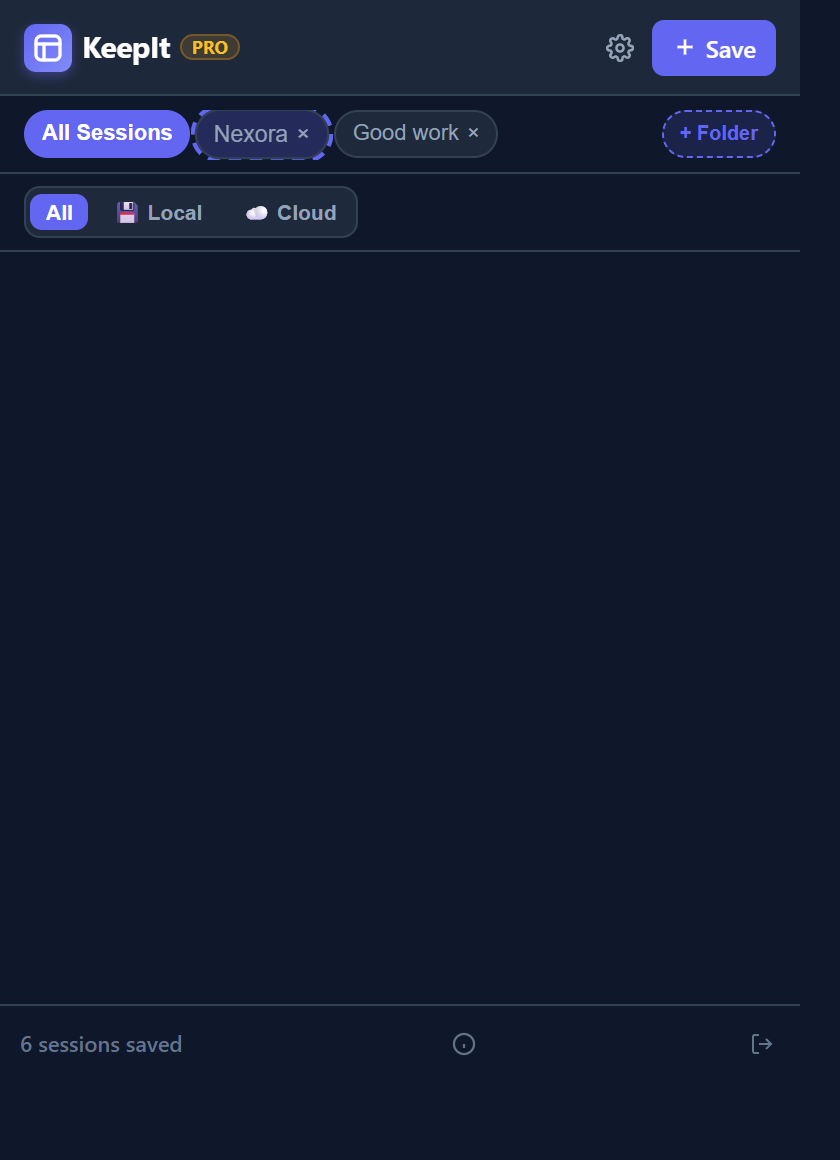
- Drag it over a target Folder Pill at the top (the folder pill highlights with an indigo pulse).
- Release to instantly assign the session to that folder!
☁️ Cloud Sync & Account
KeepIt features an opt-in cloud synchronization system powered by Supabase and Google OAuth 2.0.
Google OAuth Sign-In
Signing in unlocks:
- 3 Free Cloud Sessions (Unlimited for Pro users).
- Unique Username Handle (@username): Allows teammates to send session bundles directly to your inbox.
- Cross-Device Access: Access saved cloud sessions and folder structures across Chrome browsers on Mac, Windows, Linux, or ChromeOS.
Dual Storage & Offline Protection
chrome.storage.local. Your folder structures and tab metadata are never
lost.
⚡ Auto-Save & Recovery
Never lose work due to sudden browser crashes, OS updates, or accidental window closures.
Background Auto-Save Snapshot
KeepIt continuously snapshots your open window in the background:
- Free Tier: Runs snapshot auto-save every 3 minutes.
- Pro Tier: High-frequency snapshot auto-save every 1 minute.
- The snapshot card appears prominently at the top of your session list with a 1-click Restore Tabs button.
Closed Window & Tab Recovery
Accidentally closed a window? Navigate to Tools & Settings (⚙️) ➔ Recover Closed to view and instantly restore recently closed Chrome windows and tabs directly from Chrome's Sessions API.
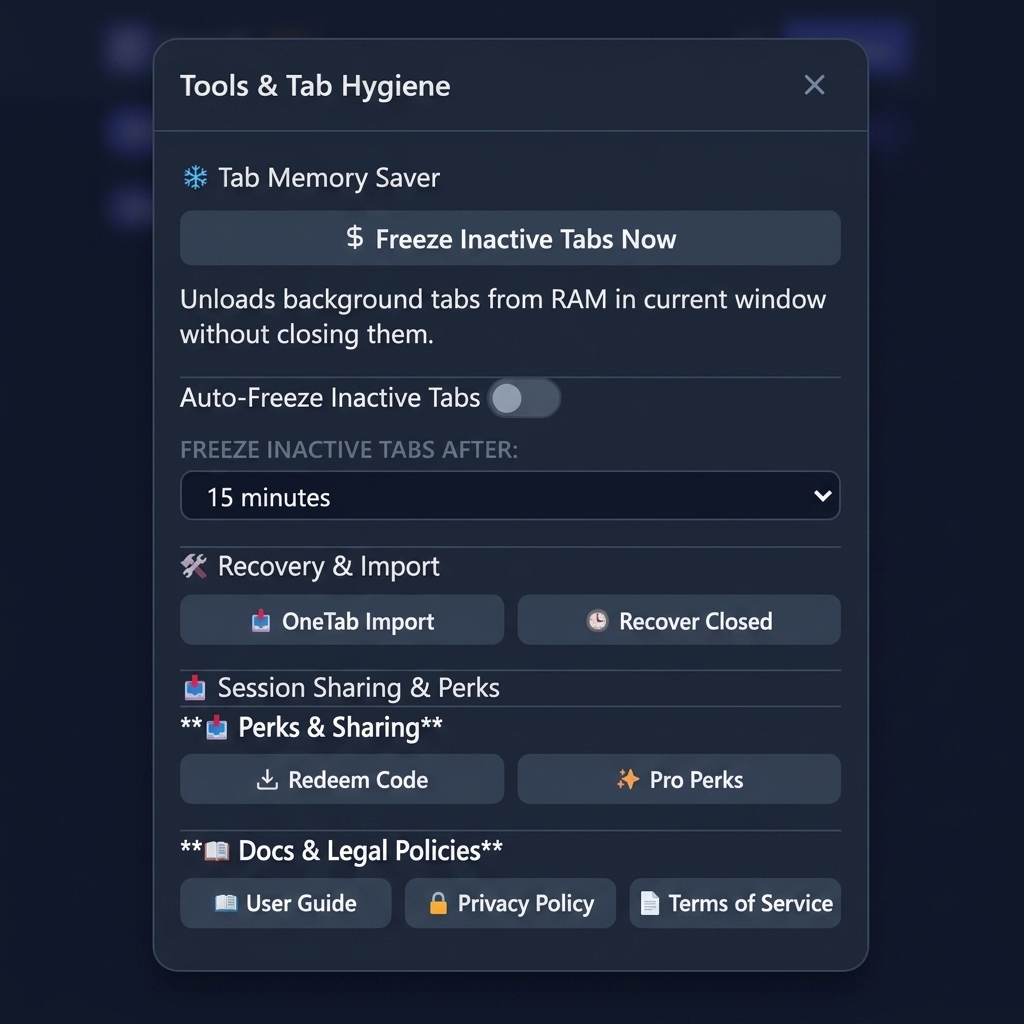
❄️ Tab Memory Saver
Running 50+ open tabs can consume gigabytes of RAM. KeepIt utilizes Chrome's native Tab Discarding API to reclaim memory without closing your tabs.
Manual & Auto-Freeze Timers
- Freeze Inactive Tabs Now: Instantly unloads background tabs in the current window from RAM. Tab titles and favicons remain visible in your tab bar, and reload instantly when clicked.
- Auto-Freeze Timer: Enable auto-freezing in Settings to automatically discard tabs that have been inactive for 15, 30, or 60 minutes.
- Built-In Protections: Pinned tabs are never auto-frozen, and common productivity tools (Google Docs, Gmail, GitHub, Figma) are excluded by default to safeguard in-progress work.
📤 Session Sharing & Inbox
Share curated tab collections directly with colleagues, students, or teammates without sending long lists of links over chat.
Sending Sessions to Teammates
- On any cloud session card, click the 📤 Share button.
- Enter the recipient's handle (e.g.
@sarah_dev). - Click Send Session. The tab bundle is delivered straight to Sarah's KeepIt Shared Inbox!
Shared Inbox & Redeem Code
Free users can receive unlimited shared sessions. When someone sends you a session, a notification badge appears on the 📥 Shared Inbox icon in the header. Click to preview the tabs and add the session to your workspace with 1 click!
👑 Plans & Pro Subscription Management
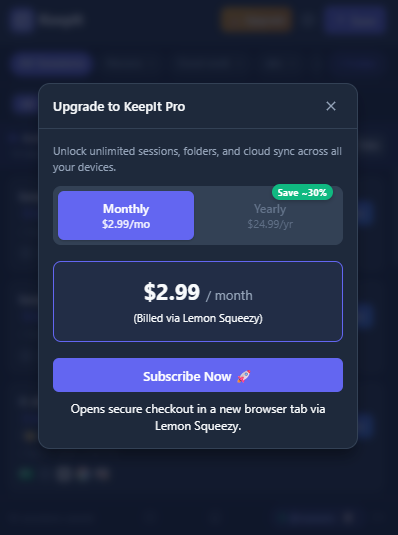
KeepIt offers a generous Free tier alongside a feature-packed Pro plan billed monthly at $2.99/mo or yearly at $24.99/yr.
| Feature | KeepIt Free ($0) | KeepIt Premium ($2.99/mo or $24.99/yr) |
|---|---|---|
| Local Sessions | Unlimited | Unlimited |
| Folder Organization | Up to 3 Folders | Unlimited Folders |
| Cloud Sync | 3 Cloud Sessions | Unlimited Cloud Sessions |
| Background Auto-Save | Every 3 minutes | Every 1 minute |
| Tab Groups & Checklist | Full Support | Full Support |
| Session Sharing | Receive Only | Send + Receive |
Managing & Cancelling Subscription
KeepIt Pro users can manage their subscription at any time:
- Click the ⚙️ Gear Icon in the top header and select 💳 Manage Subscription (or click the ✨ PRO header badge).
- View your active Subscription ID (with copy button), billing plan (Monthly/Yearly), and next renewal date.
- To cancel, click Cancel Subscription. Lemon Squeezy will cancel future auto-renews at the end of the billing cycle, allowing you to enjoy your Pro benefits through the end of your paid period.
🔒 Privacy & Data Security
We take user privacy extremely seriously. KeepIt operates under strict data security principles:
- No Tracking: We do not track, sell, or analyze your browsing history.
- Local First: All local sessions are stored strictly on your device using Chrome Local Storage.
- Isolated Cloud Data: Cloud sync data is protected by Supabase Row-Level Security (RLS), ensuring only your authenticated account can read or write your sessions.
- Secure Payments: Payments are processed via Lemon Squeezy, a PCI-DSS compliant merchant of record. Your financial credentials never touch KeepIt servers.